
- Free
- Open source
- Runs on your computer
- Twitch + YouTube
Your stream’s helper, living on your computer.
StreamGremlin answers chat commands, shows alerts in OBS, runs giveaways and points, guards your chat from raids, and gives you one Live screen to run it all. No cloud account, no subscription.
Windows 10 and 11, macOS 13 or later, and Linux (beta, lightly tested). It’s a beta: free, and still growing.
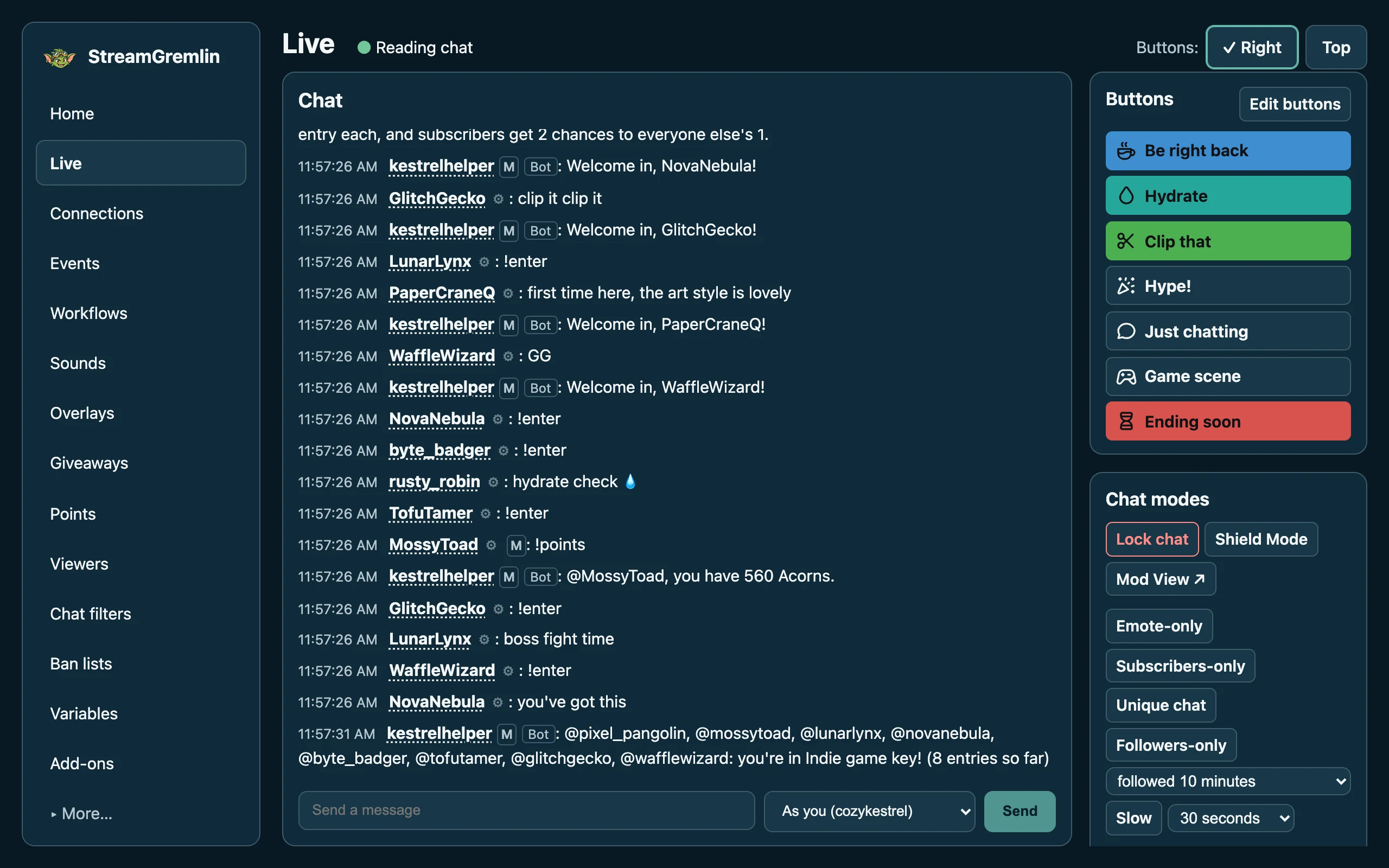
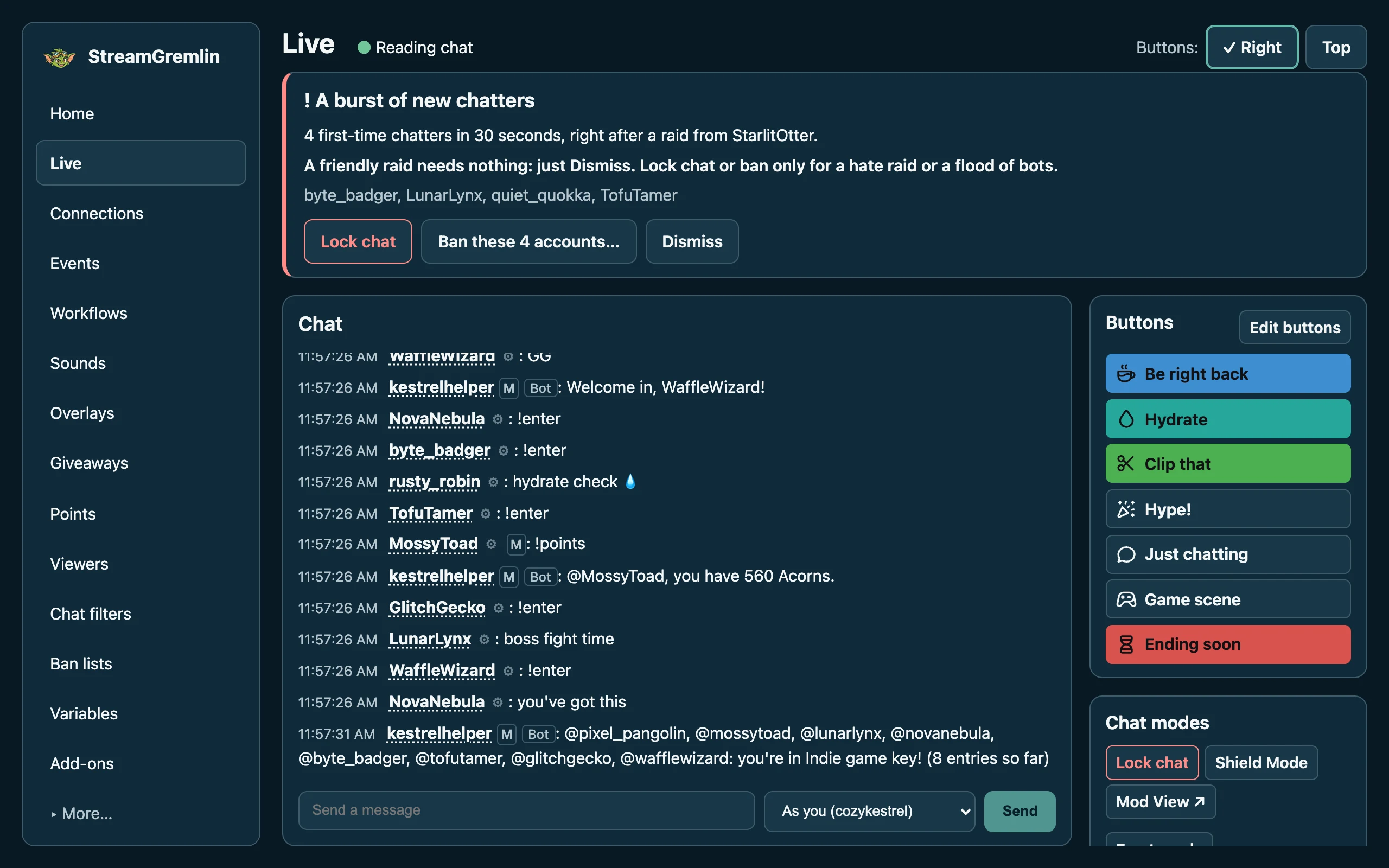
The Live screen: your chat, with your own buttons beside it. Everyone in these pictures is made up.
Simple to start. Room to grow.
No bot yet?
Home has a checklist that ticks itself as you go: sign in to Twitch, turn on a ready-made workflow, try it with a test, and watch it answer in your chat. Templates cover the usual: !hello, !lurk, !uptime, quotes, a death counter, shoutouts, welcomes, thank-yous and alerts.
Coming from Streamer.bot?
The same idea, “when this happens, do that”, in plain words instead of sub-actions. Triggers, variables, timers, OBS control, Lua scripts and a Stream Deck plugin are all here, and every run has a trace showing what each step did and why.
Everything a stream needs, in one app
It all runs on your computer, and it all has a screen: no settings files, no command line needed.
Workflows
When a viewer types a command, follows, subs, cheers or raids, do something: reply, switch scenes, play a sound, show an alert.
A Live screen
Twitch and YouTube chat side by side, a box to send as you or your bot, and your own buttons with icons.
Alerts and overlays
Alerts with profile pictures and sounds, a now-playing card, clocks and countdowns, and wheel spins, all as OBS browser sources.
Giveaways you can check
Chat enters with a command. Winners are drawn with a secure random source and every draw is recorded, so you can prove it was fair.
Points
Your own currency, earned by chatting, time in chat, follows, subs and cheers. A ledger that never loses a point or pays twice.
Chat protection
Filters for links, caps, spam and new accounts, a raid guard, a one-press lock, ban lists from a file, and a follow-bot review.
Moderation from chat
Rest on a name for a viewer card: time out, ban, warn, shoutout, VIP and mod, each sent once and recorded.
Timers, quotes and wheels
Reminders on a schedule, numbered quotes with
!quote, and wheels of choices drawn fairly.Stream Deck and Discord
Stream Deck keys that show what’s happening: the scene on air, a countdown ticking, your death count, the next ad. Workflows post to Discord when you go live.
“When this happens, do that.”
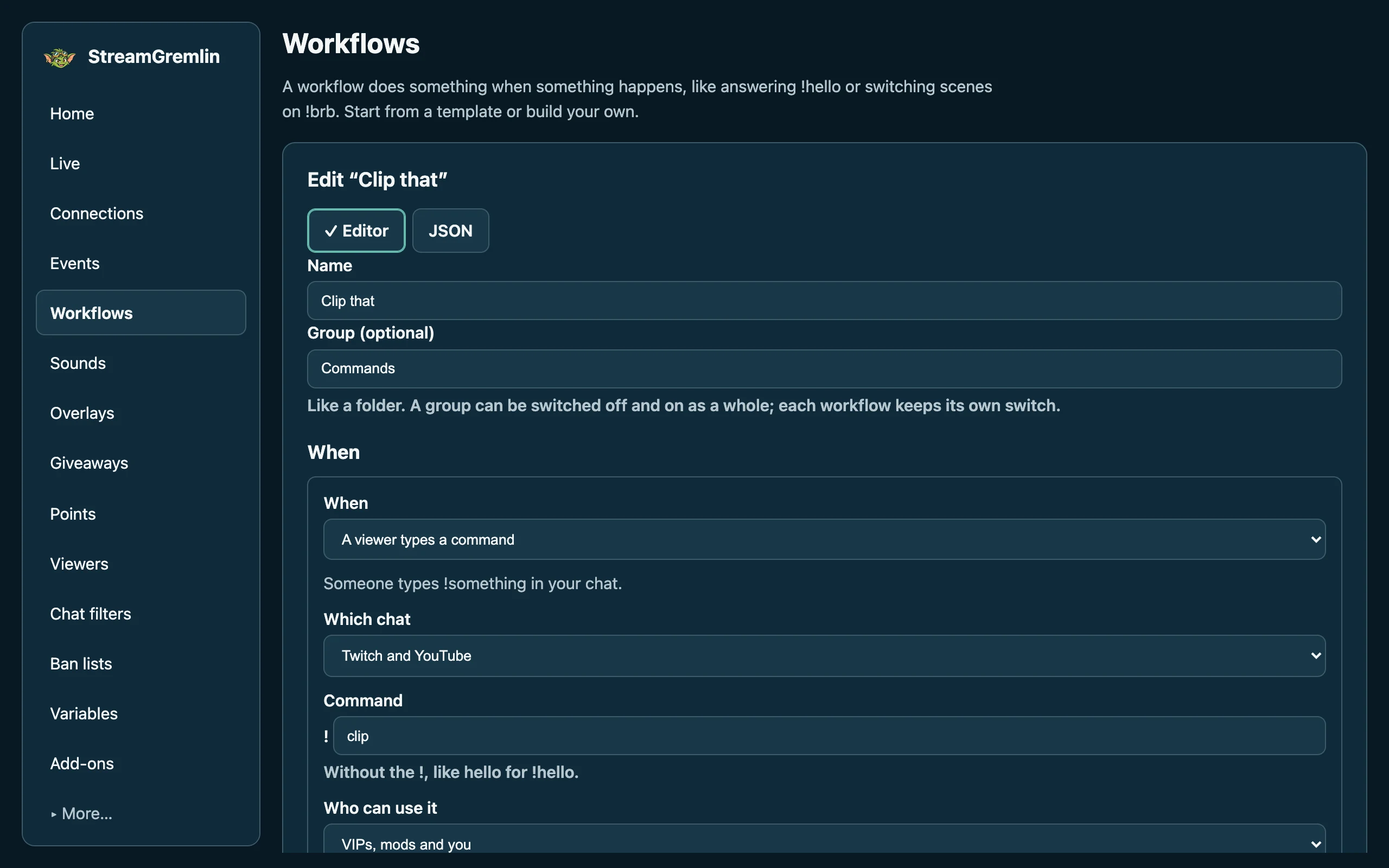
Pick a trigger and add steps, in plain words. Start from a template, change anything, and press Test: it runs without reaching your chat or OBS, and its trace shows what it would have done.
- One answer per command, so chat never gets two replies.
- Groups switch a whole set off and on.
- Lua for anything the built-in steps don’t do, safely sandboxed.
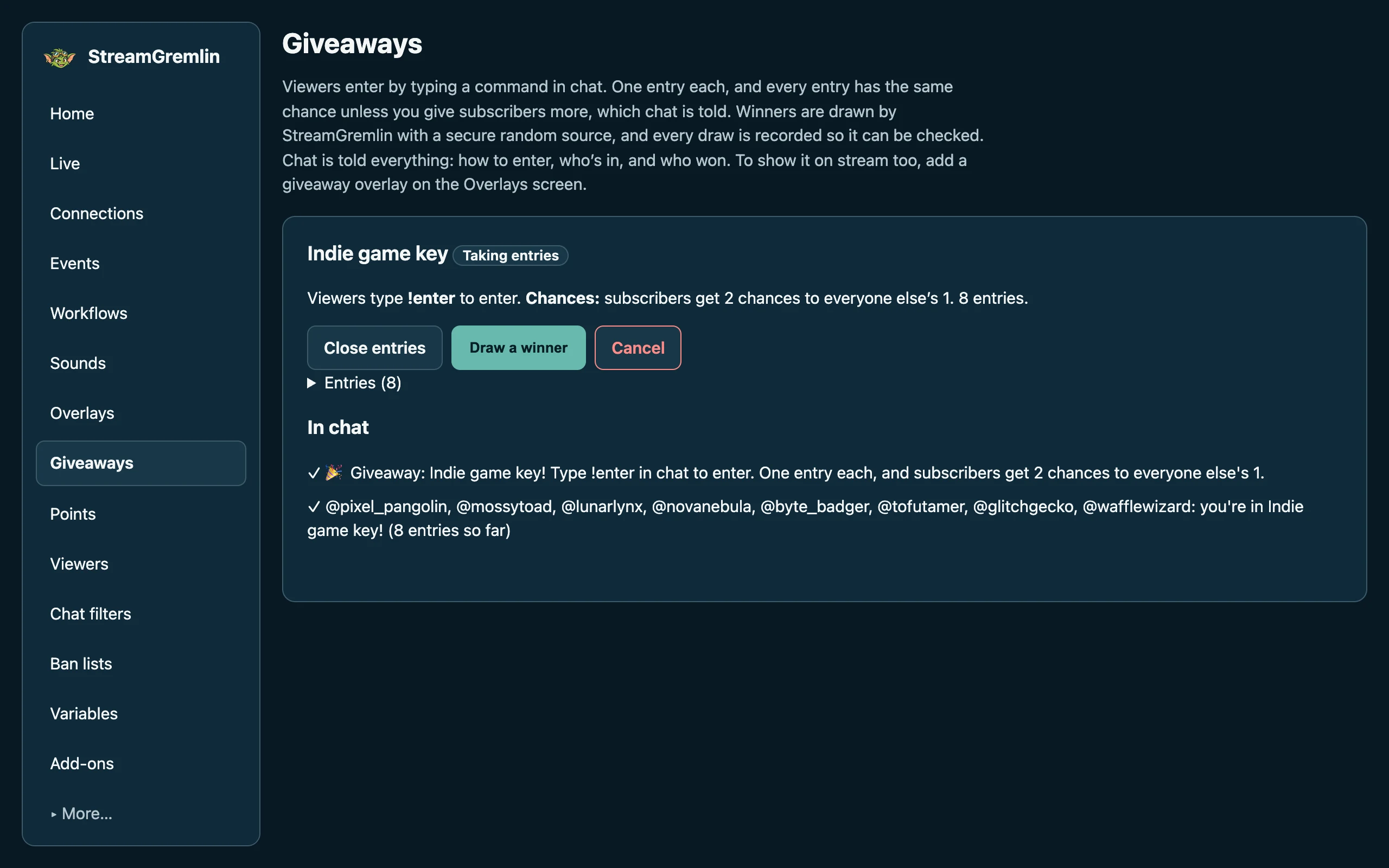
Fair, and you can prove it.
Viewers type a command to enter, once each. Set who may enter, give subscribers extra chances (chat is told), and draw. StreamGremlin records every entry list and draw, and Check the draws confirms them later.
Chat alone tells viewers everything: how to enter, that they’re in, and who won. An overlay is a bonus, never required.
Ready for the bad nights.
Most raids are friends arriving. When a burst of brand-new accounts looks more like a hate raid or a flood of bots, the raid guard tells you, and offers to lock chat or ban them, asking first. Lock chat turns on Shield Mode, emote-only and followers-only in one press, and Unlock chat puts back only what it changed.
Ban lists from a file are banned at Twitch’s own pace, carry on after a restart, and can be undone.
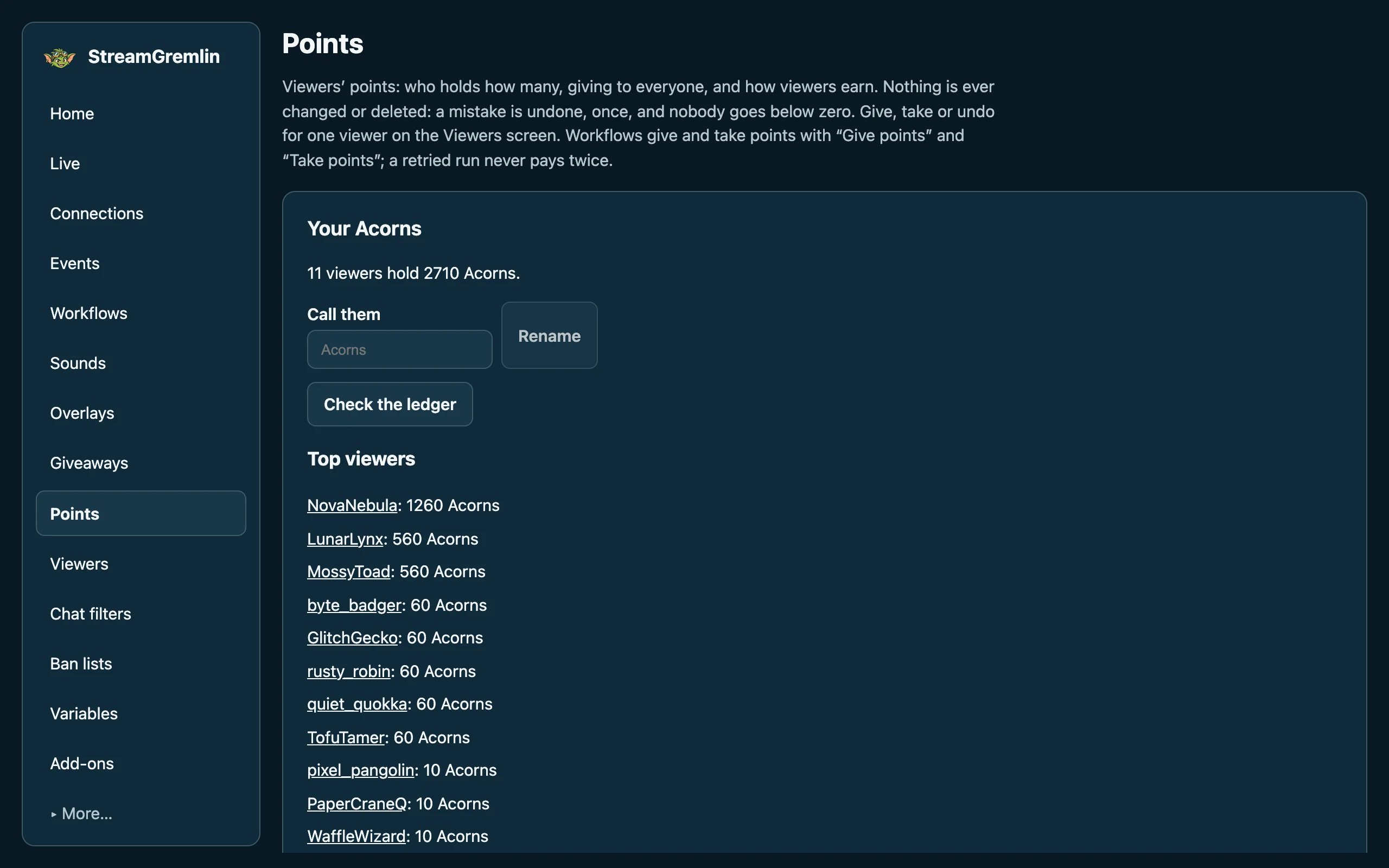
Your channel’s own currency.
Call them what you like. Viewers earn by chatting, time in chat, follows, subs, gifts and cheers, on Twitch and YouTube, and someone’s two accounts can share one balance.
Nothing is ever changed or deleted: a mistake is undone, nobody goes below zero, and a retried workflow never pays twice.
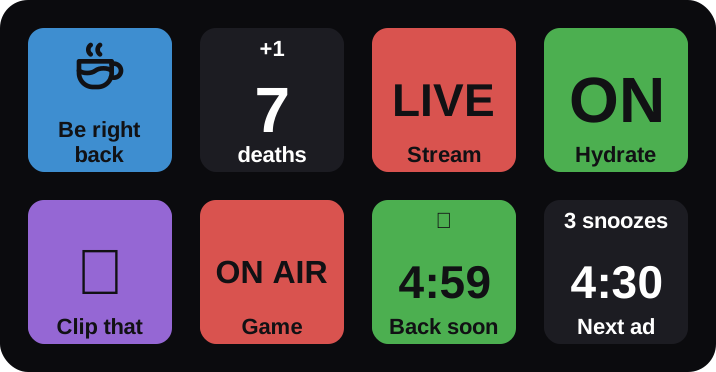
Keys that show what’s happening.
The official plugin puts StreamGremlin on your Stream Deck: your buttons, a death counter, whether you’re live, the scene on air, a countdown ticking, the next ad, and switches lit when they’re on.
A key reaches only what you tick for it, and says “?” when StreamGremlin doesn’t know, never a guess. All eight kinds of key
Your stream, your computer, your data.
StreamGremlin keeps everything in one folder on your computer, and talks only to the services you connect.
- No account with usThere’s no StreamGremlin login, no cloud and no tracking. You sign in to Twitch, YouTube, OBS and Discord only.
- Sign-ins in your system’s keyringKeychain on macOS, Credential Manager on Windows, and your desktop’s keyring on Linux. They never appear in logs, backups or exports.
- Add-ons can’t reach your filesLua scripts and plugins run in their own process, with time and memory limits, and only do what you allowed.
- Unknown says unknownWhen Twitch or OBS doesn’t answer, StreamGremlin says so instead of guessing it’s fine.
- Nothing listens beyond your computerIts local API needs a token and refuses web pages it doesn’t know.
- Backups every daySettings → Backups copies everything, every day and whenever you ask. Restoring asks first.
StreamGremlin and other stream bots
Each one is good at different things. Cloud bots keep running when your computer is off; desktop apps can control OBS and keep your data at home. Here’s where StreamGremlin fits.
| Feature | StreamGremlin | Streamer.bot | Firebot | Mix It Up | Nightbot | StreamElements |
|---|---|---|---|---|---|---|
| Runs on | Your computer | Your computer | Your computer | Your computer | Their servers | Their servers |
| Keeps going with your computer off | No | No | No | No | Yes | Yes |
| Systems | Windows, macOS; Linux (beta, lightly tested) | Windows; macOS and Linux experimental, through Wine | Windows, macOS (Apple silicon), Linux | Windows | A web browser | A web browser |
| Platforms | Twitch, YouTube | Twitch, YouTube, Kick | Twitch | Twitch, YouTube, Kick and more | Twitch, YouTube, SOOP | Twitch, YouTube |
| Price | Free | Free; some features for Patreon supporters | Free | — | — | Free |
| Source code | Open source (Apache 2.0) | Closed | Open source (GPL 3.0) | Source available, under its own licence | — | — |
| An account with the maker | Not needed | Not needed | — | — | Sign in with Twitch or YouTube | Yes |
| Your data is kept | On your computer | On your computer | On your computer | On your computer | On their servers | On their servers |
| Triggers and actions without code | Yes | Yes | Yes | Yes | — | — |
| Scripting | Lua, sandboxed | C# | JavaScript | C#, Python, JavaScript | — | — |
| OBS control | Yes | Yes | Yes | Yes | — | — |
| Alerts in OBS | Yes | HTML overlays | Yes | Yes | — | Yes |
| Points | Yes | — | Yes | Yes | — | Yes |
| Giveaways | Yes, with checkable draws | — | — | Yes | Yes | Yes |
| Chat filters | Yes | — | Yes | Yes | Yes | Yes |
| Stream Deck | Official plugin, 8 kinds of key | Official plugin | — | Plugin | — | — |
Where these come from

Give your stream a gremlin.
StreamGremlin is in beta: free, on Windows and macOS, with Linux lightly tested. Tell us what works and what doesn’t, and help shape it.